Agent conversations
See chats with AI replies and closed chats without a human reply. Clear labels keep a closure distinct from a verified resolution.
Visitor→AI reply→Next step
 Mill™
MILL REPORTING
See what’s working. Find what needs a little attention. Bring your conversations, your people and your AI into focus.
14 days free. No credit card. No automatic charge.Customers heard.
Progress understood.Positive ratings
FOUR VIEWS. ONE CLEAR PICTURE.
Start with the big picture. Then follow the question that matters to your team.
Conversation trends, customer ratings and AI activity. A clear starting point for your weekly review.
Explore it with your team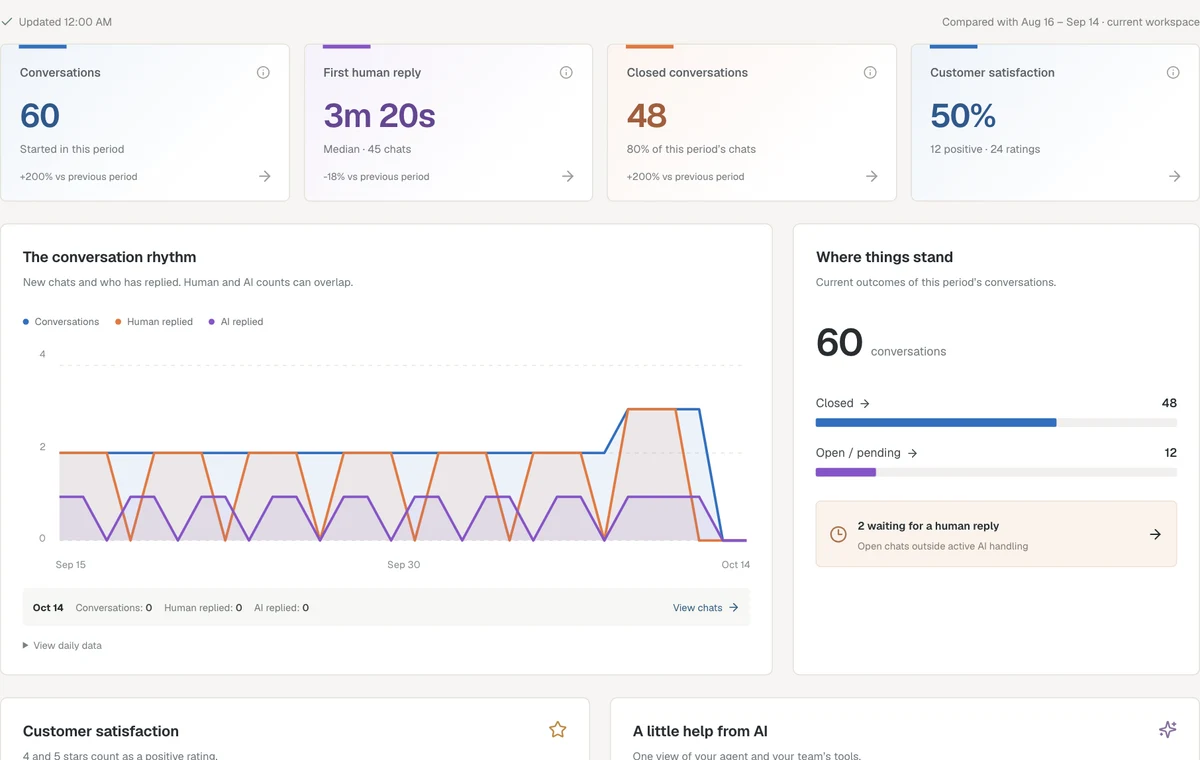
CONVERSATION OPERATIONS
Understand when conversations start and how quickly people hear back. Move from a daily bar to the chats behind it.
THE PEOPLE BEHIND EVERY REPLY
See who replied, who closed conversations and how customers rated their experience. Find an operator and open their conversations for the context a number can’t give you.
Transfers are part of teamwork. A conversation can appear against more than one operator, so the report explains how each figure is counted.
Bring your team together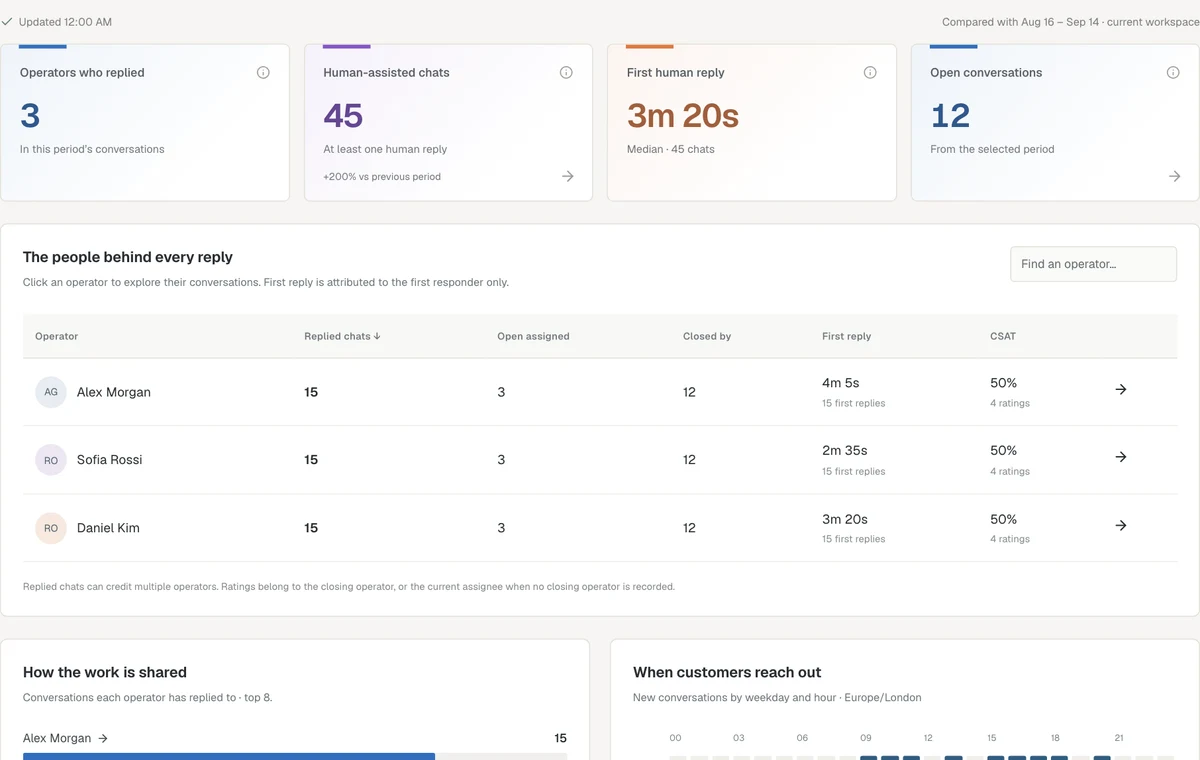
AI, WITH THE FULL CONTEXT
Agent replies, handoffs and team tools — measured separately, understood together.
See chats with AI replies and closed chats without a human reply. Clear labels keep a closure distinct from a verified resolution.
Understand how often a person was needed and the recorded reasons for the handoff. Open the chat to review what happened.
Track successful Reply Assist drafts and translations separately. These are workspace activity figures, not your account’s credit balance.
A NUMBER IS JUST THE BEGINNING
Use 7, 30 or 90 days, or set a custom date range. Compare with the preceding period in your device’s time zone.
Select a metric, day or operator to explore the matching conversations. Open any chat to see its history.
Export report figures as CSV for your own analysis. The conversation detail view can export the page you’re viewing.
CLEAR NUMBERS. NO GUESSWORK.
Every report includes plain-language definitions. Empty periods stay empty. Missing response-time samples stay unavailable. Internal notes and failed messages don’t count as successful replies.
GOOD QUESTIONS
Reporting is included in Starter, Professional, Business and Enterprise. Owners and administrators can access their workspace’s reports. AI reporting shows activity when you use the optional AI features.
Overview is your high-level support summary: trends, satisfaction and AI contribution. Conversations is the operational view: waiting chats, reply speed, time to close and busy hours.
Yes. Select a supported metric, day or operator to open the matching conversation list, then open a chat to review its history.
Not necessarily. Mill labels it as closed without a human reply. That describes what happened in the chat; it does not claim a verified resolution.
Yes. Export the current report’s figures as CSV. A conversation detail list exports the current page, and its pagination lets you explore the full matching set.
MAKE YOUR NEXT REVIEW A BETTER ONE
Live chat, your team and reporting — together in Mill.
Start your free trial 14 days free · No credit card required